

TL;DR:
- Handwritten journal scanning apps convert paper entries into searchable digital text with AI that handles cursive and print accurately. They process images quickly while prioritizing privacy through on-device recognition and transparent data policies. These apps enable deeper self-reflection by connecting handwritten notes to AI tools for mood tracking and emotional insights.
A scan handwritten journal app is a tool that converts your paper journal entries into searchable, editable digital text in seconds using AI-powered handwriting recognition. These apps have moved well beyond basic document scanning. They now read print, cursive, and mixed handwriting with the kind of contextual accuracy that older optical character recognition (OCR) tools could never achieve. If you keep a physical journal and want your reflections to be searchable, shareable, or connected to digital wellness tools, this technology is the most direct path there.
How do scan handwritten journal apps work to digitize your entries?
The technical process behind a good handwriting scanner is more layered than it looks. Here is how a typical app moves from paper to polished digital text.
- Capture the image. You photograph your journal page using your phone camera. Most apps guide you with edge detection to frame the page correctly.
- Preprocess the image. The app adjusts contrast, corrects perspective, and reduces noise. This step directly affects recognition accuracy, especially for faded ink or cream-colored paper.
- Run AI handwriting recognition. Modern apps use large language models like Google Gemini for handwriting extraction, providing high accuracy across 100+ languages. This is the key difference from older OCR. Traditional OCR matches letter shapes to a database. AI models read words in context, which is why they handle messy cursive or mid-sentence language switches far better.
- Return editable text. The app presents the transcribed text for your review. You can correct errors, add tags, or export to another app.
- Handle image storage. Responsible apps downscale the image on-device before any upload and do not store the original photo long-term.
Digitizing a journal page typically takes under 10–15 seconds, including scanning and AI transcription review. That speed makes batch scanning a full notebook feel manageable rather than tedious.
Pro Tip: Scan in natural daylight or under a bright, even light source. Shadows across the page are the single biggest cause of recognition errors, even with advanced AI models.

What are the best apps to scan your handwritten journal?
The market for journal scanning technology splits into two categories: general-purpose document scanners with strong OCR, and specialized apps built with journaling and personal context in mind.
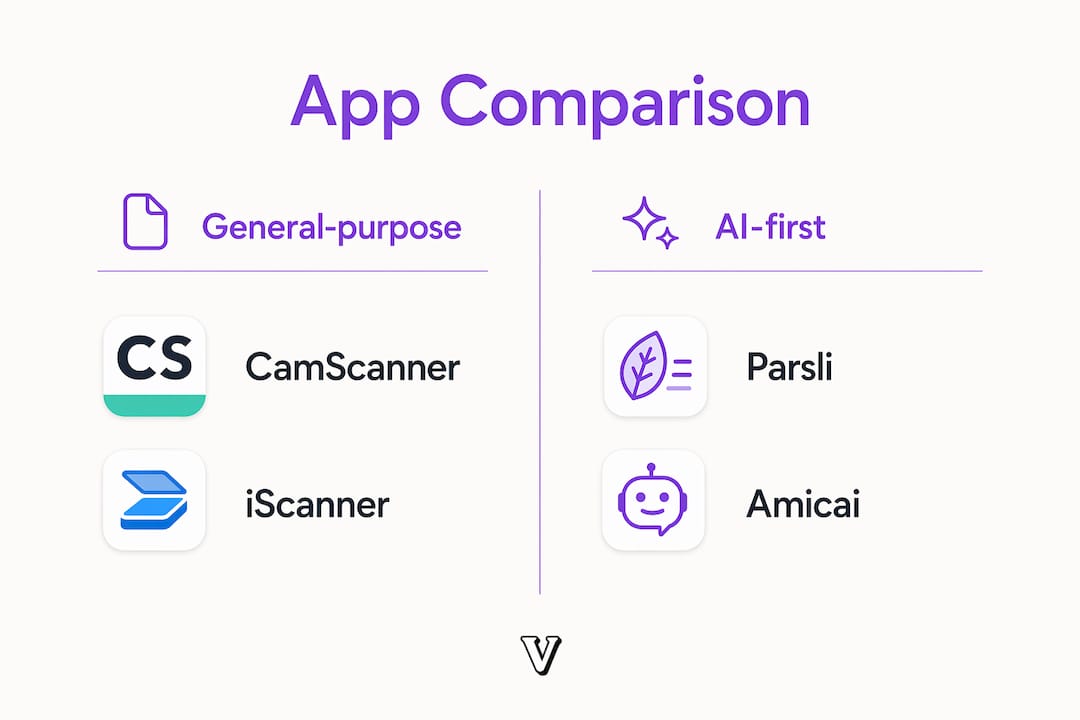
General-purpose scanners with strong OCR
CamScanner offers fast scanning, powerful OCR, and cross-platform sync with document tagging. It also provides password protection, wireless printing, and advanced editing tools. CamScanner is a reliable choice if your primary goal is clean, organized digital files. What it does not offer is anything journaling-specific, such as mood tagging or connections to your personal history.
iScanner provides AI-enhanced scanning with document organization, editing, and OCR for 20+ languages, plus privacy controls. It also integrates an AI chat feature for scanned PDFs, covering summarization, translation, and rewriting. That AI chat layer makes iScanner more useful than a basic scanner for people who want to interact with their scanned content.
AI-first tools built for handwriting
Parsli uses Google Gemini AI and requires no app install or signup, offering free unlimited conversions. It supports both print and cursive handwriting and provides guidance on lighting and cropping for best results. The browser-based format makes it ideal for one-off scans or testing the technology before committing to a paid app.
Amicai takes a different approach entirely. It connects your scanned handwritten notes to a personal AI that understands your relationships and recurring themes. General-purpose document scanners produce clean PDFs but lack journaling-specific features like mood-tagging or semantic linking. Amicai fills that gap by treating your journal as a living document tied to your personal context, not just a file to be stored.
Comparison at a glance
| App | Platform | Pricing | Privacy controls | Journaling features |
|---|---|---|---|---|
| Amicai | iOS, Android | Freemium | On-device downscaling, no long-term image storage | Mood tagging, semantic linking, personal AI |
| CamScanner | iOS, Android, Web | Free and paid tiers | Password protection | Document tagging, sharing |
| Parsli | Web browser | Free, unlimited | No signup required | Basic text export |
| iScanner | iOS | Free and paid tiers | Privacy controls, on-device options | AI chat, summarization, translation |
Key factors to weigh when choosing:
- Accuracy on cursive: Amicai and Parsli (both using advanced LLM models) outperform older OCR-based tools on messy or mixed handwriting.
- Privacy: Apps that downscale images on-device before uploading give you meaningfully stronger protection for sensitive journal content.
- Journaling integration: If you want your scanned notes to connect with mood tracking or personal AI insights, a specialized app beats a general scanner every time.
- Cost: Parsli is free with no account needed. CamScanner and iScanner offer free tiers with paid upgrades. Amicai uses a freemium model with scanning limits tied to AI processing costs.
What privacy considerations matter when scanning handwritten journals?
Your journal contains your most private thoughts. The privacy model of any scanning app deserves serious attention before you hand it your entries.
The core issue is this: handwritten notes are images before they become text, which raises real questions about where those images go and how long they stay. A photo of your journal page is a high-resolution record of your handwriting, your paper, and your words. If that image is stored on a remote server without your knowledge, you have lost control of something deeply personal.
What to look for in a privacy-conscious app:
- On-device image downscaling before any upload to a server
- Clear statements that original images are not stored long-term
- User controls to delete entries or images on demand
- Transparent counters showing how much of your monthly scanning limit you have used
That last point matters more than most people expect. Monthly limits on handwriting scanning exist in some apps due to the computational cost of AI image processing. Apps that communicate these limits clearly with visible counters are more trustworthy than those that let you hit a wall without warning.
Privacy-conscious users consistently value on-device processing and clear transparency about what data is stored or deleted. That preference is not just about security. It is about trust. You are more likely to write honestly in a journal when you know your words are protected.
Pro Tip: Before scanning a single page, read the app's data retention policy. Look specifically for language about image storage, not just text storage. The two are often handled differently.
How can you use scanned journals to enhance self-reflection and personal growth?
Digitizing your handwritten entries is only the first step. The real value comes from what you do with the text once it is searchable and connected to other tools.
- Build a searchable archive. Once your entries are in digital text format, you can search for any word, name, or theme across years of writing. Searching for "anxiety" or "gratitude" across 200 entries reveals patterns you would never notice reading page by page.
- Connect scanned notes to AI journaling tools. Digital journaling gains richer meaning when handwritten notes are connected to a relational AI that understands personal contexts. Apps like Amicai link your scanned text to the people, places, and themes that recur in your life. Voisley takes a complementary approach, using AI-powered insights to surface emotional patterns from your journal entries over time.
- Add mood tags at the point of scanning. Some apps let you tag each scanned entry with a mood or topic label. Over weeks, those tags create a visual map of your emotional state that is far more useful than rereading raw text. This connects directly to the AI journaling insights that platforms like Voisley use to support emotional well-being.
- Use semantic search for deeper reflection. Advanced apps index your scanned text for semantic search, meaning you can search for "times I felt stuck" and find entries that match the feeling even if those exact words never appear. This is where OCR-based scanning falls short and AI-powered tools pull ahead.
- Balance handwriting with digital benefits. Keep writing by hand. The physical act of writing engages your brain differently than typing and supports deeper processing of emotions. Scan after writing, not instead of it. The goal is to preserve the authenticity of handwriting while gaining the organizational power of digital text. For a practical framework on combining both, Voisley's guide on emotional clarity through digital journaling lays out a clear approach.
The most effective journalers treat scanning as a bridge between two practices, not a replacement for one of them. Your handwritten words carry something that typed text does not. Digitizing them makes those words findable, not more meaningful on their own.
Key takeaways
The most effective approach to scanning handwritten journals combines AI-powered recognition, on-device privacy protection, and integration with digital journaling tools for genuine self-reflection benefits.
| Point | Details |
|---|---|
| AI beats traditional OCR | Apps using models like Google Gemini handle cursive, print, and mixed handwriting far more accurately than older character-matching tools. |
| Speed is not the bottleneck | Digitizing a journal page takes under 10–15 seconds. Batch scanning a full notebook is realistic in a single session. |
| Privacy requires active checking | Look for on-device image downscaling and clear data deletion policies before trusting an app with personal journal content. |
| Scanning limits exist | Some apps cap monthly handwriting scans due to AI processing costs. Choose apps that display usage counters clearly. |
| Integration multiplies value | Connecting scanned text to mood tracking, semantic search, or personal AI tools turns a static archive into a living self-reflection resource. |
What I have learned from integrating scanned journals into digital practice
The promise of scanning your handwritten journal sounds almost too clean. Photograph the page, get perfect text, search your entire emotional history in seconds. The reality is more nuanced, and more interesting.
What actually works is the combination of specificity and patience. The first time you search three years of scanned entries for a recurring fear and find it named in your own handwriting across a dozen different entries, something shifts. You stop thinking of your journal as a collection of individual days and start seeing it as a map of your inner life. That shift is what makes the technology worth the setup.
What does not work is treating scanning as a shortcut to self-awareness. The act of writing by hand still does something that reviewing digital text does not. The friction of a pen on paper slows you down in a way that produces honesty. Scanning preserves that honesty in a searchable form. It does not generate it.
The privacy trade-off is real and worth naming directly. Every time you photograph a journal page, you are making a decision about trust. Apps that are transparent about image handling earn that trust. Apps that are vague about it do not deserve your most private writing. Read the policy before you scan a single word.
The future of this practice is not about replacing handwriting. It is about giving your handwritten words a longer, more connected life. That is a goal worth the effort.
— Voisley
Voisley and your scanned journal entries
Scanning your handwritten pages gives you text. What you do with that text determines whether it actually supports your growth.

Voisley is built for exactly that next step. The platform connects your journal entries to AI-powered mood tracking, personalized prompts, and emotional pattern visualizations that show you what your words mean over time. Whether you paste in scanned text or write directly in the app, Voisley organizes your reflections into a structure that supports real self-awareness. Explore AI-powered journaling on Voisley and see how your scanned entries can become a foundation for lasting emotional clarity. For more on the mental wellness strategies that work alongside digital journaling, the 2026 journaling and AI guide is a strong next read.
FAQ
What is a scan handwritten journal app?
A scan handwritten journal app is a mobile or web tool that photographs your paper journal pages and converts the handwriting into editable digital text using AI or OCR technology. The best apps handle print, cursive, and mixed handwriting with high accuracy.
How accurate is AI handwriting recognition for journals?
Modern apps using large language models like Google Gemini achieve high accuracy across 100+ languages, including messy cursive and mixed scripts. Accuracy improves significantly when you scan in good lighting with the page fully in frame.
Are scanned journal entries private?
Privacy depends entirely on the app. Look for tools that downscale images on-device before uploading and that do not store your original photos long-term. Always read the data retention policy before scanning personal content.
Do scanning apps have usage limits?
Some apps cap monthly handwriting scans due to the computational cost of AI processing. Responsible apps display clear usage counters so you know when you are approaching the limit rather than hitting a silent failure.
Can I connect scanned journal entries to a digital journaling app?
Yes. Once your handwritten entries are in text format, you can import them into platforms like Voisley, which adds mood tracking, AI insights, and emotional pattern analysis to your existing reflections.